
- Entertainment
- Style
- Lifestyle
- Food & Drinks
- Tech & Auto
- Culture

AI generated summary, newsroom reviewed
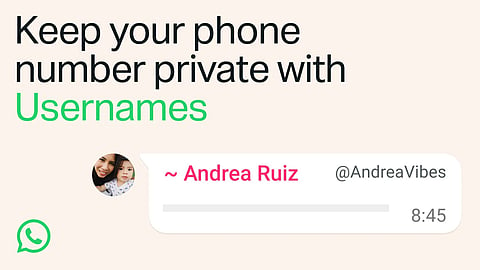
WhatsApp has officially begun rolling out username reservations, allowing eligible users to claim a unique username. Once available on your account, you'll be able to start conversations using a username instead of sharing your phone number, offering an additional layer of safety and privacy. The feature is arriving gradually, so while some users will see the option immediately, others may need to wait until it reaches their region and account. Check out how to reserve username on WhatsApp with this complete step-by-step guide for both Android and iPhone users. Also, find out what the new privacy-focused feature means for everyday messaging.
For years, WhatsApp has relied exclusively on phone numbers to identify users. While straightforward, it also meant revealing your personal number whenever you wanted to connect with someone new, whether after a networking event, through a community group or while contacting a business.
Usernames make that unnecessary. According to WhatsApp, the optional feature allows users to communicate using a unique username instead of exposing their phone number in eligible conversations. The company announced that the rollout will happen in phases over the coming months.
Once the feature is available for your Android device:
Open WhatsApp and tap the three-dot menu.
Go to Settings.
Tap your profile.
Select Create username.
If the rollout hasn't fully reached your account, tap Reserve username instead.
Enter your preferred username.
If it's available, you'll receive a confirmation.
If not, WhatsApp will suggest similar usernames.
Tap Save, then Done.
On iPhone, the process is slightly different:
Open WhatsApp.
Tap You.
Select your profile.
Tap Create username.
If prompted, choose Reserve username.
Tap Create username.
Enter your preferred username.
If the username is available, confirm it.
Alternatively, choose one of WhatsApp's suggested options.
Tap Save, then Done.
At present, username reservations are only available through WhatsApp's mobile apps. The company says the feature cannot yet be accessed via WhatsApp Web or the desktop application, so you'll need to use your primary Android phone or iPhone to claim your username. Since the rollout is gradual, don't be surprised if the option hasn't appeared on your device just yet.
What Are WhatsApp Usernames?
WhatsApp usernames are unique handles that allow users to connect and chat without sharing their phone numbers, offering an additional layer of privacy.
How Do I Reserve Aa WhatsApp Username?
Open WhatsApp, go to Settings > Profile > Create Username (or Reserve Username if the feature is still rolling out), enter your preferred username, and tap Save.
Is The WhatsApp Username Feature Available For Everyone?
Not yet. WhatsApp is rolling out the feature gradually, so availability may vary by region, device, and account.